
Recurring Automations + Secret Updates
Smarter automations, better templates, and hidden updates to explore 👀

Hey Notion friends,
This week, Notion just made automations way more powerful. You can now schedule actions to run automatically—without any manual input!
And that’s not all. Repeating templates got a major upgrade, forms just became more flexible, and I found a few hidden changes that Notion hasn’t even shared yet.
In this week's edition, you'll find:
Recurring triggers for automations
More flexible repeating templates
2 Notion Forms upgrades
2 secret updates you missed
Let’s dive in!
Automations: New Recurring Triggers
This is huge. Notion now lets you automate actions on a schedule instead of waiting for a manual trigger (like adding or editing a page).
With the new Recurring Trigger, you can set automations to run daily, weekly, monthly, or at custom intervals—without lifting a finger.
Here are a few ways this new feature can streamline your work:
Automate project timelines – Generate new trackers weekly or monthly.
Schedule content creation – Auto-create tasks for blogs, videos, or newsletters.
Reset tracking dashboards – Refresh habit logs or progress trackers monthly.
Auto-assign team tasks – Rotate responsibilities on a set schedule
Archive completed work – Move finished tasks to an archive automatically.
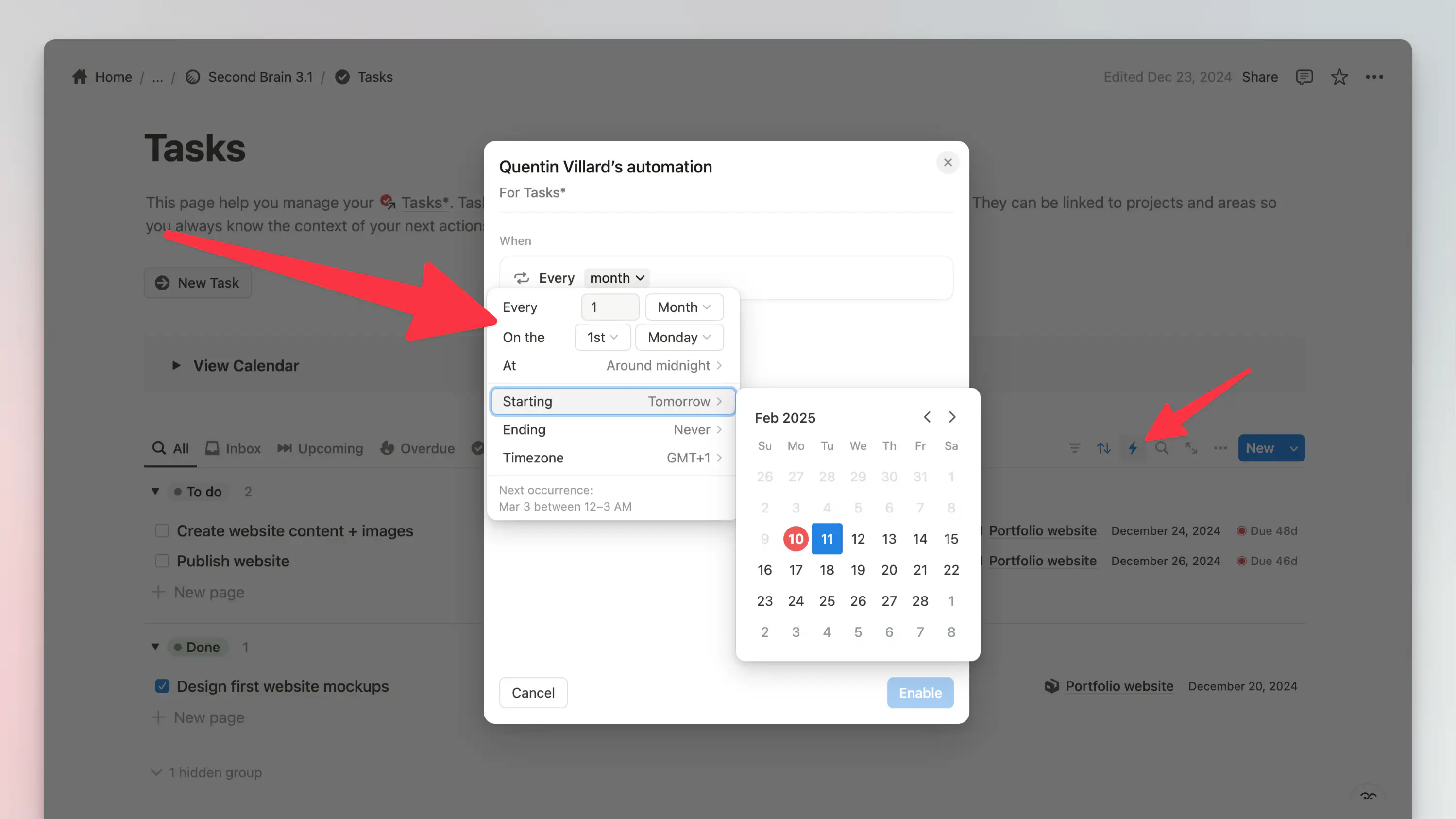
How It Works:
Open Automations in your database
Create a new automation
Choose the “Every…” trigger option
Set how often it runs: daily, weekly, monthly, or custom
(Optional) Set a start & end date to control how long it lasts
This takes Notion automations to a whole new level. No more manual triggers—your workspace now works for you.
Heads up: This is only available on Notion’s paid plans. Free users can still use automation in duplicated templates, but they won’t be able to create their own recurring automations.
Database Templates: More Repeating Options
Just like automations, recurring options for database templates have been upgraded, making them far more flexible than before. You now have the same level of control over how and when templates repeat, allowing for more precise scheduling.
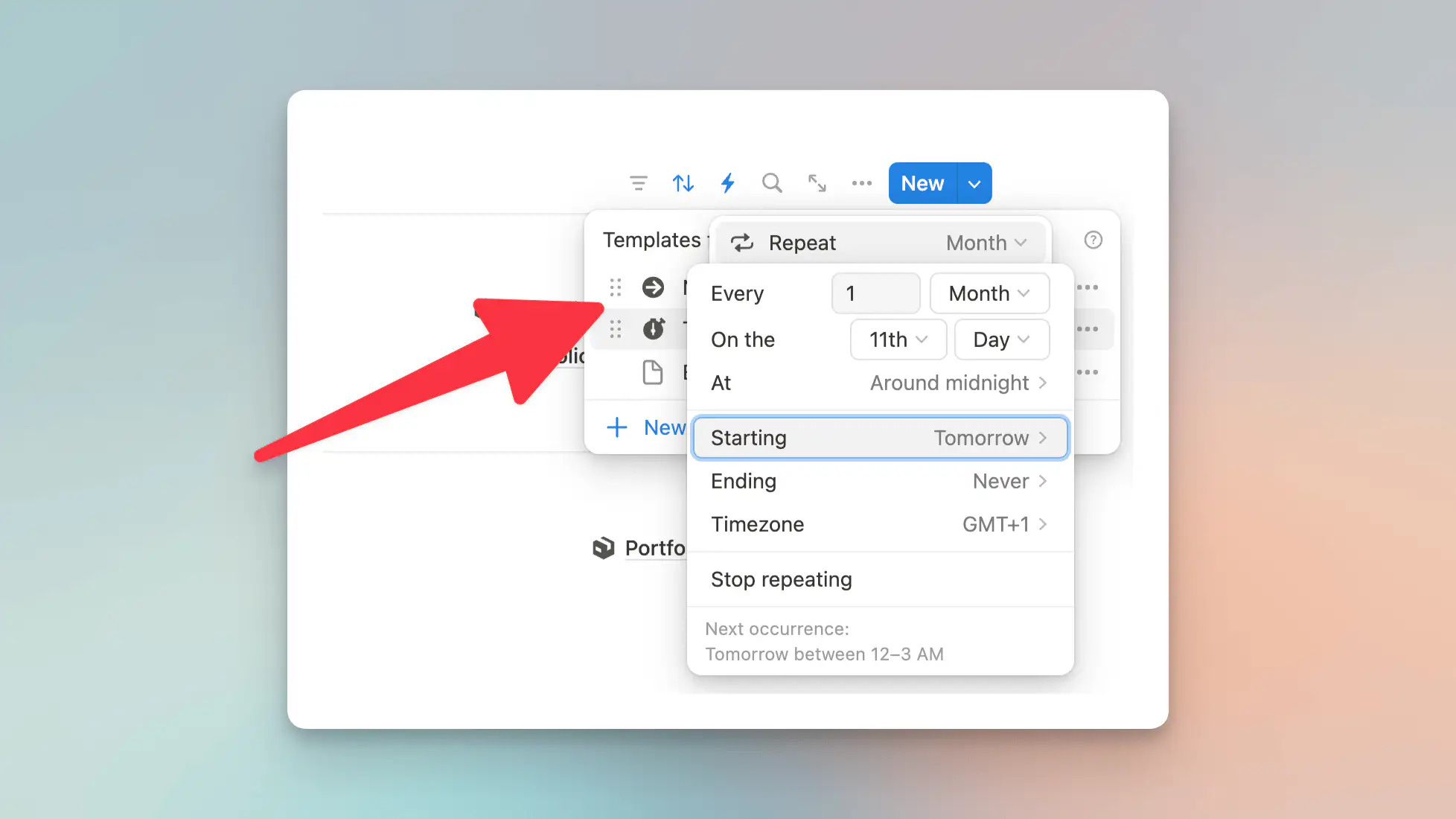
To set up a repeating template, simply:
Open any database template
Activate the Repeat option
Define the recurrence (daily, weekly, monthly, or custom)
Set additional options like start time, end time, and time zone
With this update, database templates can now repeat exactly when and how you need them, making workflows smoother and reducing manual work.
Notion Forms: Edit Submissions + Selection Limits
Two small but powerful updates make Notion Forms much better:
You can now edit your form responses—no more resubmitting an entire form if you make a mistake.
Multi-select fields now have selection limits—so you can control how many choices someone can pick.
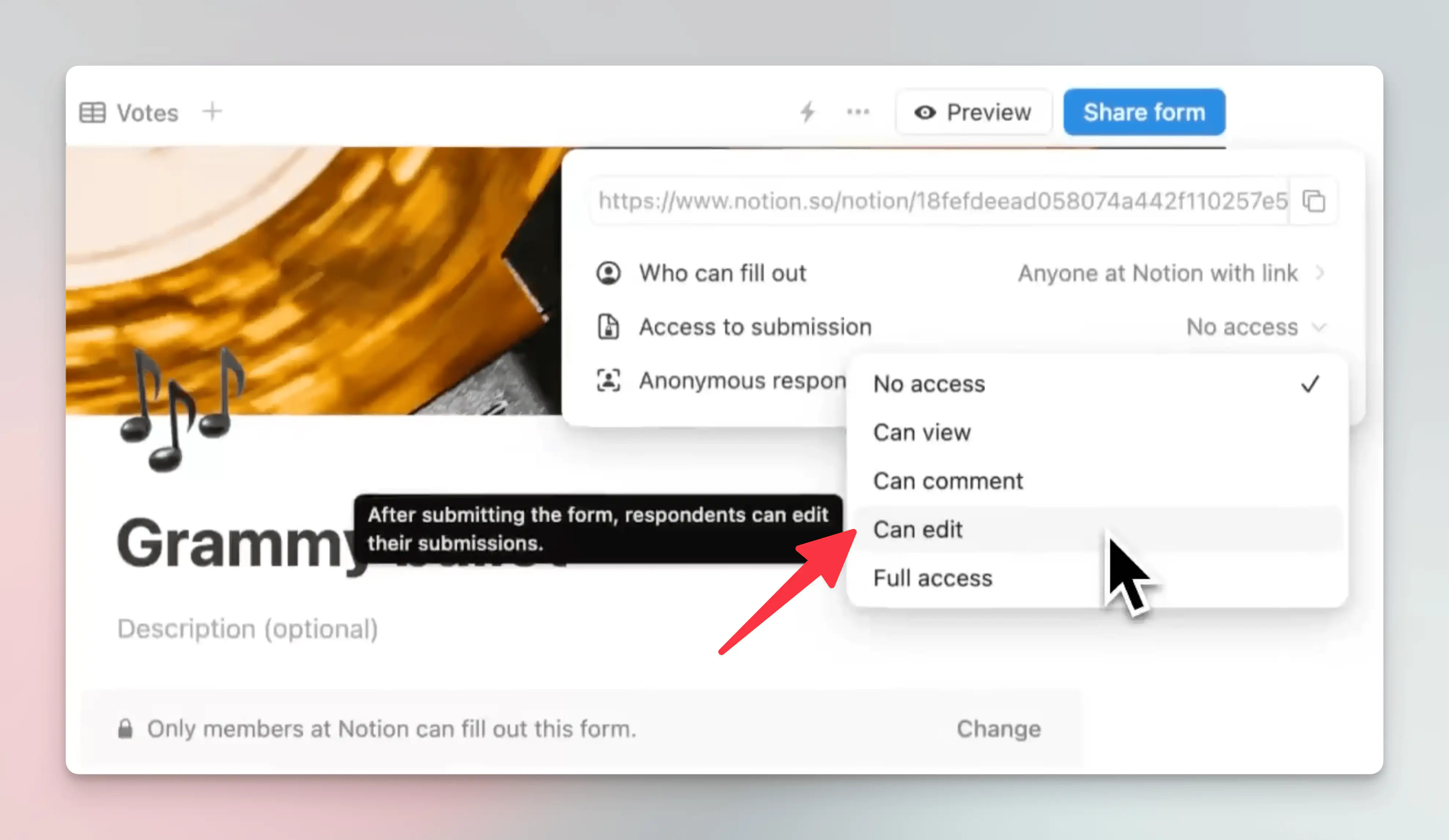
This is great for structured data collection, like event sign-ups or applications.
Secret Updates: Verification Property + Color Tweaks
Notion quietly dropped a couple of updates that they haven’t even announced yet.
The “Verified” property is now available in all databases. It was only in “Wiki” databases before, but now you can use it anywhere to track approvals and verifications on database entries.
Subtle color adjustments make Notion’s interface a little sharper and more readable.
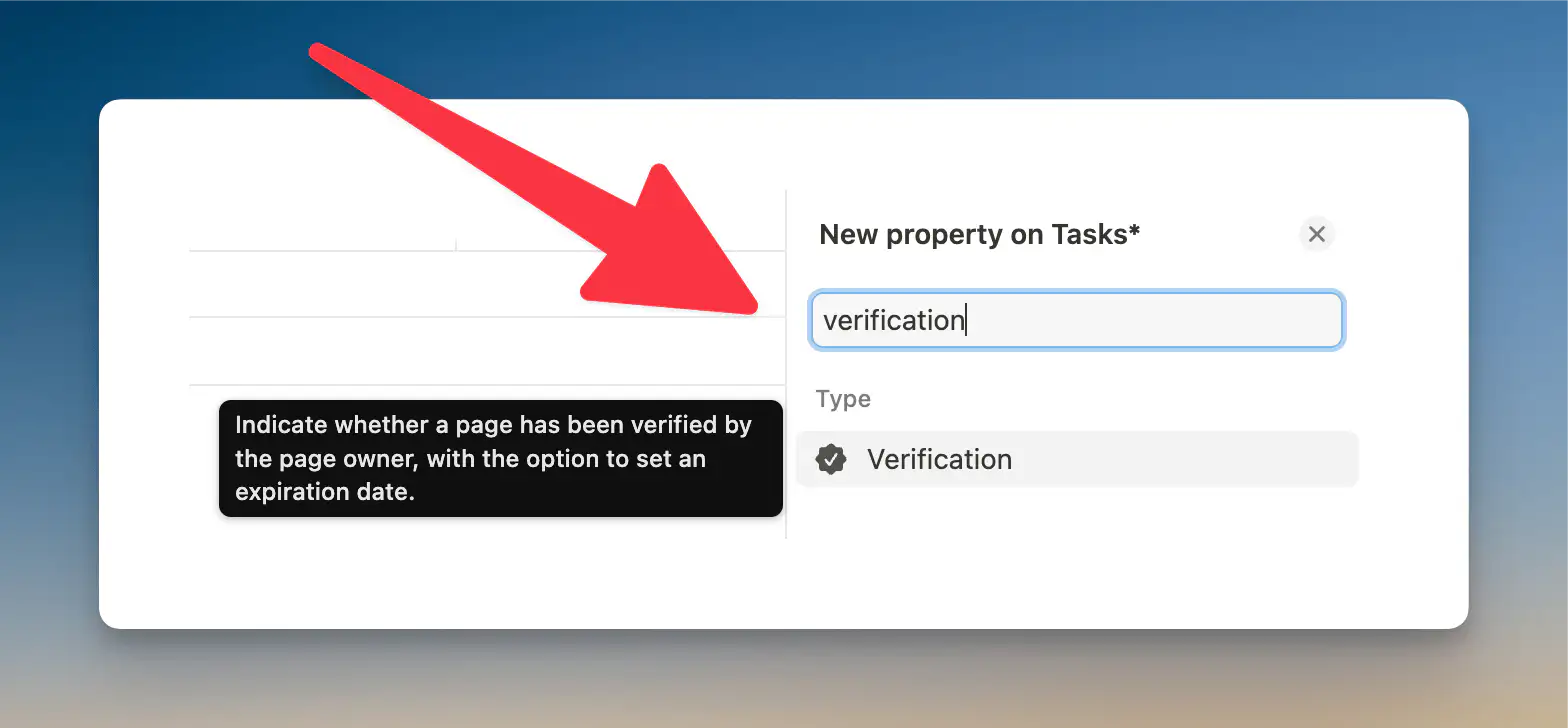
These aren’t game-changers, but small refinements like this add up over time.
That’s it for today!
Hope you’re as excited about these Notion updates as I am. Recurring automations and flexible database templates are game-changers—have you tried them yet?
As always, I’d love to hear from you. What’s your favorite Notion update lately? Hit reply and let me know—I read every message.
Until next week,
Quentin
Founder, Notion Everything
Whenever you're ready, there are 3 other ways I can help you:
The Notion Second Brain template: Get the best system to organize your life and knowledge in one powerful, central place.
The Freelance OS Notion template: Manage and grow your freelance business with a powerful all-in-one Notion workspace.
The Finance Tracker Notion template: Take control of your finances with this comprehensive system for easy finance tracking.
Do you agréé that the new verification property is no more available ?
I tested it after reading your NL, but it semestre to be gone now. 🤔